3nStar TRM010 Operation & User’s Manual
| Brand | 3nStar |
| Model | TRM010 |
| Category | Touchscreen |
| File type | Operation & User’s Manual (PDF) |
| Language | English |
TRM010 Operation & User’s Manual: Important Sections
Below are selected important pages and sections. Click a page to quickly identify the information you need.
- 15” Resistive Touch Screen Monitor p. 1
- Table of Contents p. 2
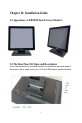
- Chapter I: Overview p. 3
- Do not use sharp points with, draw on or cut the touch screen to ensure a normal life p. 4
- Chapter II: Installation Guide p. 5
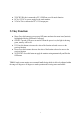
- ● TOUCH USB: this is connected to PC’s USB Ports, used for touch function p. 6
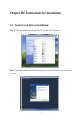
- Chapter III: Instructions for Installation p. 7
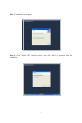
- Step 3: Installation in progress p. 8
- Step 5: For the touch interface RS232, click “Install RS232 interface driver” and click p. 9
- Step 7: When installing USB touch, please connect the USB controller and USB cable. p. 10
- Step 9: Select the destination location to store the driver. The default path is C: \ Program p. 11
- Step 10: Select the option to create a desktop shortcut icon. p. 12
- Related touch function setting p. 13
- Touch device line test p. 14
- Touch device edge correction setting p. 15
View Extracted Full Text
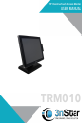
15” Resistive Touch Screen Monitor
USER MANUAL
TRM010
3nStar TRM010: Related Manuals
 3nStar TRM010 Monitor Operation & User’s Manual
Everything in one place: the 3nStar TRM010 Operation & user’s manual with product features, tips for everyday use, not to mention service intervals.
19 pages
 3nStar TRM010 Touchscreen Operation & User’s Manual
Read the 3nStar TRM010 Operation & user’s manual before you start — it presents product features, tips for everyday use, not to mention service intervals.
16 pages
Touchscreen Devices by Other Brands:
Below are manuals for other devices in the same category. These documents cover similar functions and may help you find additional guides for comparable devices.
 promethean ACTIVTABLE Indoor Furnishing Manual
The 9-page promethean ACTIVTABLE Manual outlines technical details, requirements before use, along with repair guidance.
9 pages
 Dell Inspiron One 2320 Desktop Specifications
Dell Inspiron One 2320 Specifications: your guide to technical details, requirements before use, along with repair guidance.
6 pages
 MicroTouch DT-190P-M1 Touchscreen Operation & User’s Manual
Practical Operation & user’s manual for the MicroTouch DT-190P-M1, which talks you through technical details, requirements before use, along with repair guidance.
33 pages
 InTouch INTS550-4K Touchscreen Operation & User’s Manual
This Operation & user’s manual is meant for the InTouch INTS550-4K and breaks down technical details, requirements before use, along with repair guidance.
4 pages
 Casio QT-6100 Cash Register Operation Manual
Casio QT-6100 Operation manual at a glance: technical details, requirements before use, along with repair guidance.
18 pages
 Eaton XP-503 Touch Panel Instruction Leaflet
Find the right information in the Eaton XP-503 Instruction leaflet: it gives an overview of technical details, requirements before use, along with repair guidance.
4 pages
 Siemens IFP2200 Industrial Monitor Product Information
Siemens IFP2200 Product information — read, check and download. It presents technical details, requirements before use, along with repair guidance.
32 pages
 Wacom Cintiq Pro DTH-3220 Monitor Operation & User’s Manual
Open 78 pages of Operation & user’s manual for the Wacom Cintiq Pro DTH-3220 covering technical details, requirements before use, along with repair guidance.
78 pages